 ModSensors
Trailer monitoring app for iPhone
ModSensors Pro is the iPhone app for trailers fitted with a ModSensors hub. Every alarm reaches your phone as a push notification, and the office sees the same trailers, with their history, at app.modsensors.com.
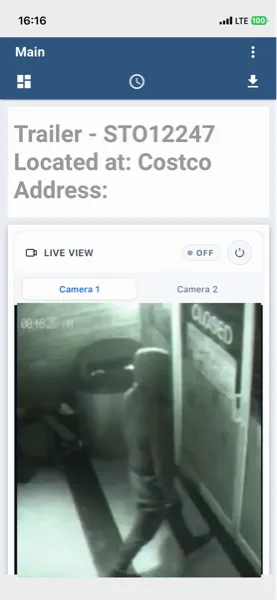
Alerts on your phone
When a tank crosses its threshold, mains drops, the inside temperature falls below the limit you set or a gas sensor trips, the alarm arrives on your iPhone as a push notification. It names the trailer and the alarm, so you can tell a black tank at 90% in Fort McMurray from a tripped heater breaker in Grande Prairie without opening the app.
A camera alarm comes with the photo the camera took. A clip of about ten seconds is saved with each motion event and plays in the app, and from the app you can set off the siren and floodlight on the camera. The trailer security camera page covers armed hours and night vision.
Open any trailer and you see its fresh, grey and black tank levels in percent, the projected pump-out date from the last week of use, battery voltage and mains presence. The power monitor reads every minute.
SMS for everyone else
The pump-out driver and the site supervisor can get the same alarm by text message. Each person on the alert list picks push, SMS, or both. The choice is per person, so one alarm reaches the office as a push notification and the driver as a text.
The dashboard for the office
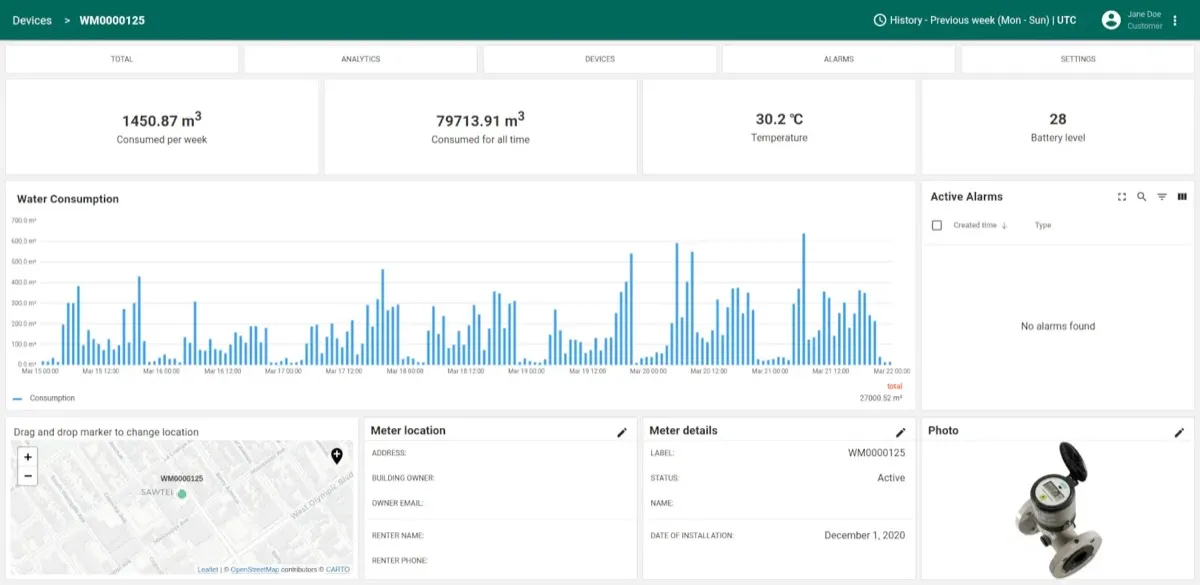
The dashboard at app.modsensors.com shows every trailer in the fleet on one map with its current readings. Open a unit for its history. Tank levels over the past weeks show whether a trailer fills every five days or every nine, so you can set the service run to match. Draw history shows which trailers use the most power.
Rules and armed hours
A rule is a threshold and what happens when it is crossed. You set it once, on the status screen in the trailer or in the app, and it applies to every trailer. Grey tank at 80%: horn on the unit and an alert to the phone. H₂S above 5 ppm: horn and beacon on, alert to three phones. Inside temperature below 5°C: the same horn and alert.
The camera alarm follows a schedule you set, so a crew using the trailer at 7 a.m. does not trigger it, and each of the hub's four relay outputs can have its own armed hours. Water tank monitoring explains how the tank levels are read.
What it needs
The trailer monitoring app runs on iPhone. There is no Android app; people on Android get the same alarms by SMS. Get it on the App Store.
Phone alerts, SMS, the dashboard and history all need the cellular connection on the trailer. The horn, lights and status screen do not: they run on the hub and keep working with no signal. On a weak-signal site, fit an external antenna. Cellular connectivity covers what the connection needs. Get a quote on the pricing page; quotes go out the same day.
Common questions
Is there an Android app?
No. ModSensors Pro is an iPhone app. Anyone on Android gets alarms by SMS, and the dashboard at app.modsensors.com opens in a web browser.
Do I need the app to get alerts?
No. SMS alerts go to anyone without the app. The app adds the camera photo and clip, the siren and floodlight controls, and the readings for each trailer.
Can several people get the same alert?
Yes. One rule can alert more than one phone, by push notification or SMS. The gas example above sends to three phones.
Talk to us
Tell us how many trailers and where they sit. We will send a quote the same day.